

Finding applicant tracking software that balances strong feature sets and price clarity is difficult for small business hiring teams. Most platforms hide seat-based pricing, so teams cannot estimate costs or compare plans without a sales call. This comparison breaks down features, team fit, and pricing details so hiring teams can choose a replacement without waiting for vendor quotes.
Table of Contents
- WaveHR
- The Applicant Manager
- HireTale
- HireVise
- Comparison of alternatives
- Comparison of alternatives
WaveHR
At a Glance
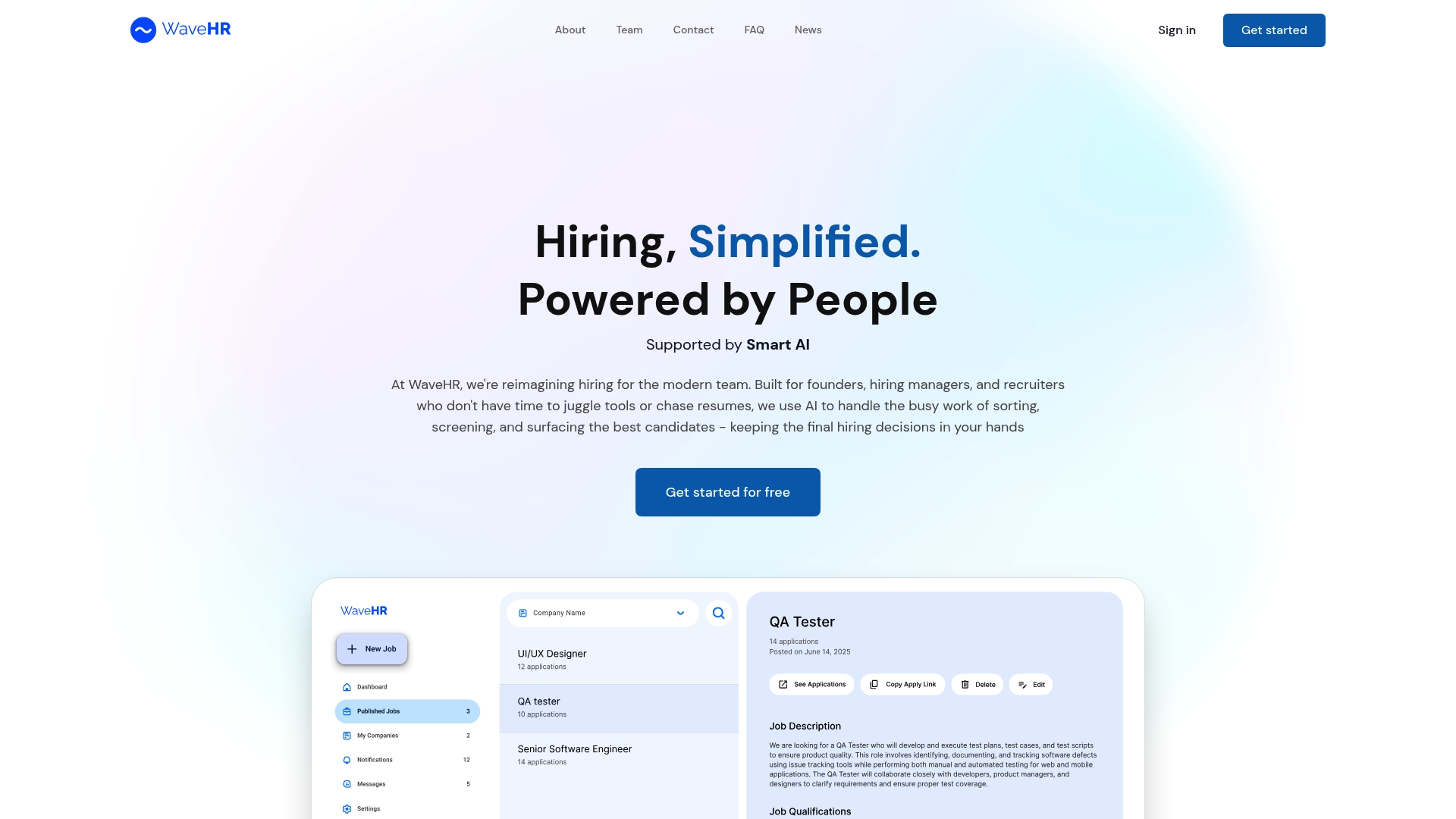
Free sign-up gives small hiring teams immediate access to job posting, candidate messaging, and screening tools without a paid commitment. The product blends a clean, clutter free interface with AI that runs behind the scenes to surface candidate insights. That mix aims to cut busywork while keeping hiring decisions firmly human led.
Core Features
WaveHR organizes job posts and candidate profiles in a simple layout that new users can learn quickly. AI works behind the scenes to surface highlights and to create concise candidate summaries so reviewers spend less time reading full resumes. The platform also handles job distribution, applicant messaging, scheduling, and basic application tracking across desktop and mobile.
Key Differentiator
WaveHR centers on human judgement supported by AI rather than full automation. The AI performs background tasks and prepares short summaries so hiring teams keep final control of interview and hiring choices. That approach keeps the interface light and avoids the complexity typical of enterprise ATS offerings.
Pros
The interface stays focused and uncluttered, which reduces training time for small teams. AI driven candidate summaries help managers screen applicants faster while leaving the final call to people. The platform packs posting, messaging, scheduling, and review into a single workflow and works on both desktop and mobile for on the go hiring.
Cons
-
Third party reviews are not provided, so independent performance feedback is not visible.
-
Pricing beyond the free sign up is not listed, so total cost of ownership is unclear.
-
Integrations and advanced feature details are limited, which may require extra tools for complex workflows.
Who It's For
Small to mid sized business hiring teams, founders, and HR professionals who want a straightforward ATS with light AI support will find this useful. Recruiters who prefer to keep human judgement central while using AI to reduce routine work fit the product profile. Teams that need mobile access to post jobs and manage interviews will also benefit.
Real World Use Case
A startup founder posts a role, reviews AI summaries to shortlist candidates, and coordinates interviews from a phone during travel. The founder uses in platform messaging to confirm schedules and to collect interview notes in one place. That single workflow replaces a mix of email, spreadsheets, and calendar juggling.
Pricing
WaveHR offers a free sign up to get started with core ATS features. Pricing beyond the free start is not publicly listed, so contact with the vendor is required for tiered plans or seat based pricing. The entry level option lets teams test posting, screening, and messaging without an upfront fee.
Website: https://wavehr.co
The Applicant Manager
At a Glance
The Applicant Manager has limited publicly available details on features, integrations, and pricing. This scarcity makes the platform hard to evaluate from marketing copy alone. The most concrete claim on the site is a focus on a simple online portal for applicant access.
Core Features
The product centers on applicant tracking and management, which collects candidate records and application statuses in one place. It also offers an online candidate portal where applicants can log in and view their progress, and tools for interview scheduling that integrate appointment setup with candidate records. Automated email communication supports outreach and status updates so recruiters do not send repetitive manual messages.
Key Differentiator
The Applicant Manager emphasizes dedicated handling of applicants through a single online portal and basic workflow automation. That focus narrows the product to core recruitment tasks rather than a larger HR suite. For teams that want straightforward applicant workflows without adjacent HR complexity, this clarity may be its main strength.
Pros
Centralized applicant records reduce the need for spreadsheets and paper folders. The candidate portal improves transparency for applicants by giving them direct login access to their application status and interview slots. Automated email tools cut down repetitive messages and help teams keep candidates informed. The platform advertises secure user login, which supports controlled access for recruiters and hiring managers.
Cons
- Limited public detail on features and integrations makes it hard to verify capabilities.
- No visible information on pricing or scalability for growing teams.
- Customization options are unclear, so adapting complex hiring workflows may be difficult.
When It May Not Fit
If your hiring process includes advanced workflows, approvals, or heavy customization, this platform may fall short. Large enterprises that need scalable permission models or payroll links will likely find missing features. Teams that require documented third party integrations before buying will need more transparency than is publicly available.
Who It's For
HR professionals and recruitment agencies that want a focused applicant tracking system with a candidate-facing portal will find this product relevant. Small to medium-sized organizations with straightforward hiring needs will match the platform’s scope. Recruiters who prefer a narrow tool for applicant touchpoints rather than a full HR suite will get the best fit.
Real World Use Case
A staffing agency uses The Applicant Manager to capture candidate resumes, set interview times, and send status emails from the same interface. Recruiters assign candidates to job orders and log interview outcomes inside applicant records. The portal reduces back-and-forth by letting candidates see scheduled interviews and receive automated updates.
Pricing
Pricing is not listed publicly and the vendor site provides no pricing tiers or starting figures. The product appears to be informational on the public site, so you must contact the vendor for a quote and deployment details.
Website: https://theapplicantmanager.com
HireTale
At a Glance
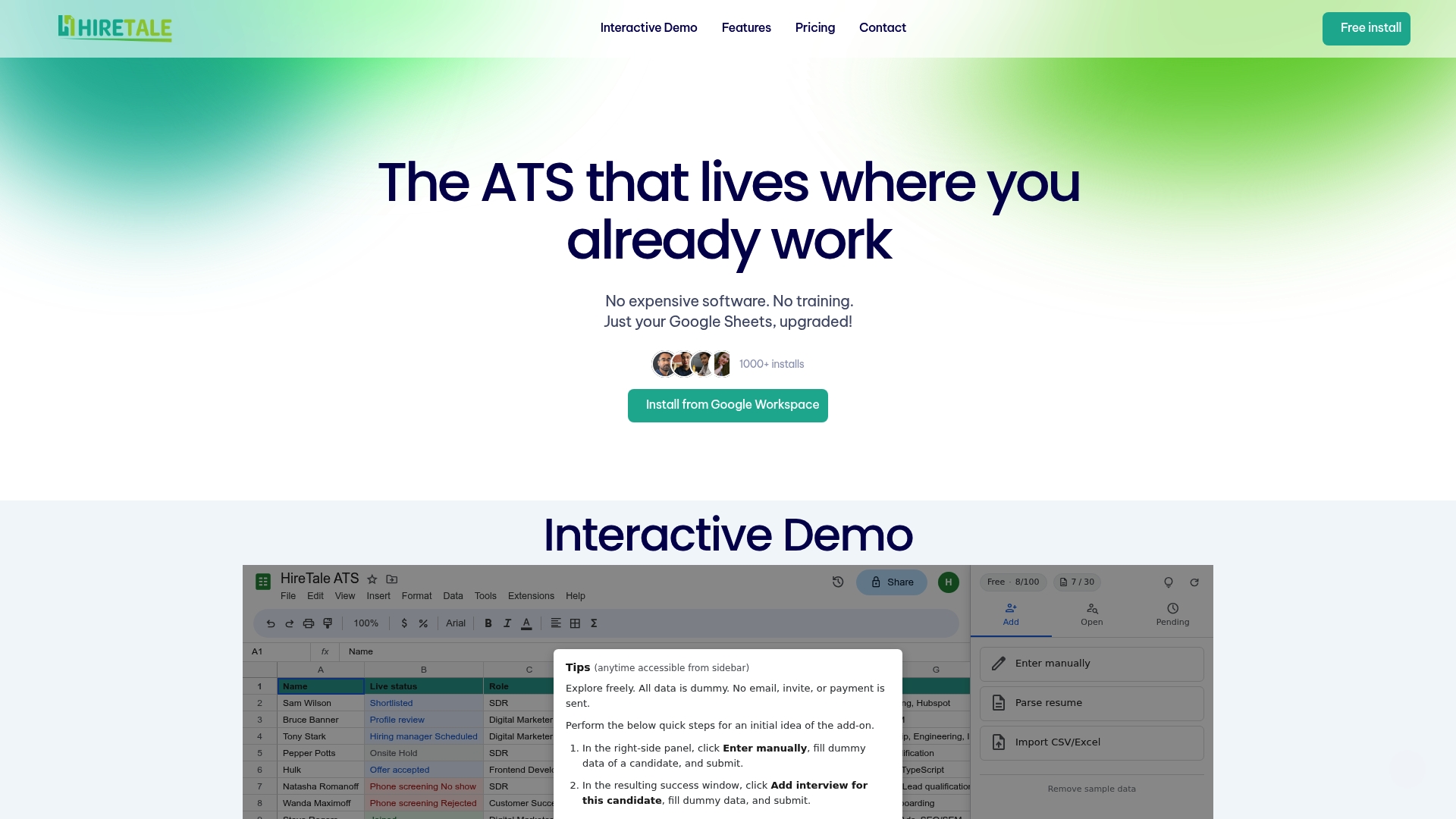
HireTale's marketing materials state it parses resumes from 12 file types and claims over 99% accuracy. The vendor advertises a free plan with a 30 resume parses per month cap. The product targets teams that already use Google Sheets and want a low-cost upgrade to their hiring workflow.
Core Features
HireTale layers recruitment features on top of Google Sheets, including resume parsing, customizable pipelines, and a pending candidates view with follow-up suggestions. It also protects sheets against accidental edits and links to Google Calendar, Gmail, and Forms for scheduling and intake. These pieces work together inside Sheets so teams can keep familiar tools while adding basic ATS functions.
Key Differentiator
The one differentiator is that HireTale turns Google Sheets into a lightweight ATS with built-in parsing and collaborative controls rather than forcing teams into a separate application.
Pros
No training is required for people already familiar with Sheets or Excel, which reduces adoption time and friction. The system lets unlimited collaborators work on the same sheet, so small teams can share candidate status without extra licenses. Integration with Google Calendar and Gmail keeps scheduling and communication inside the Google ecosystem, and a free plan provides basic functionality for teams that hire irregularly.
Cons
-
Limited to Google Sheets users. This is not a standalone ATS app and depends on Sheets for the interface and many workflows.
-
The free plan caps parses, which restricts higher-volume hiring. That parse cap may force teams to upgrade.
-
Lacks advanced ATS features like automated ranking or AI-driven candidate insights.
-
Heavy reliance on Sheets means some specialized ATS workflows and reporting are missing.
When It May Not Fit
HireTale does not fit enterprise hiring programs or offices that process hundreds of resumes monthly. It is a poor match for teams that require built-in AI scoring or advanced automation. If you need deep reporting or a dedicated application for compliance, this solution will feel constrained.
Notable Integrations
-
Google Sheets
-
Gmail
-
Google Calendar
-
Google Forms
Who It's For
Small teams, startups, and freelancers who already use Google Sheets for hiring and want a low-cost way to formalize tracking. Owners who prefer minimal training and want collaborators to edit a shared sheet will find it useful. Teams that hire occasionally and do not need advanced automation will get the most value.
Real World Use Case
A two-person startup uses HireTale to parse resumes sent to Gmail and uploaded via Google Forms. They track candidate stages in a shared sheet, add interview slots to Calendar, and let both founders review notes without buying ATS seats. The setup replaced manual copy and paste and kept hiring work inside tools the team already used.
Pricing
Pricing tiers are Free, Starter, and Pro. The vendor lists Starter ($29/month) and Pro ($79/month) and offers pay-per-pack options for additional resume parses. The free tier handles basic needs but has the parse cap noted above.
Website: https://hiretale.com
HireVise
At a Glance
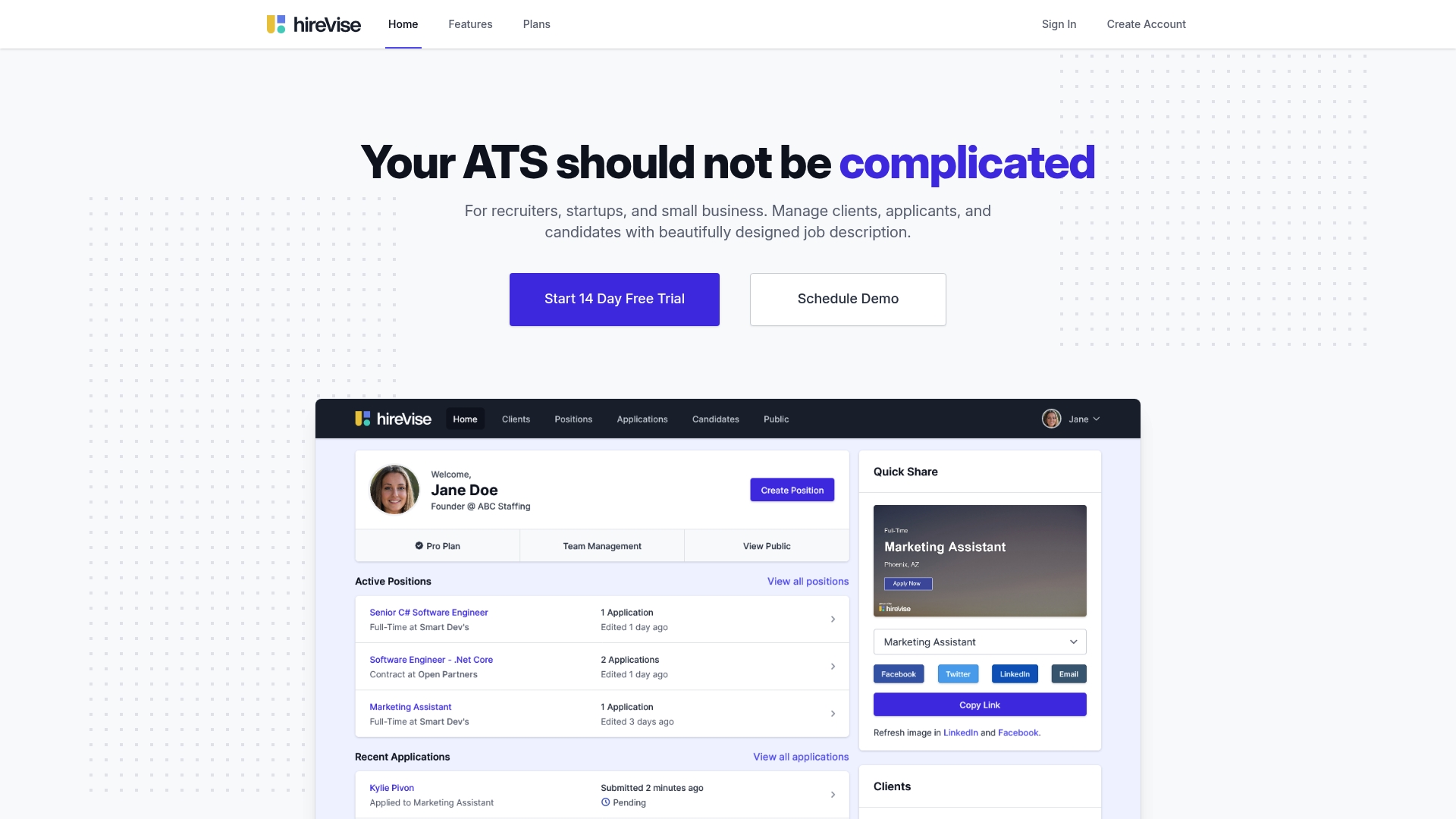
HireVise lists a single plan at $19/month that includes a full suite of applicant tracking features for small teams and agencies. The product centers on highly visual job descriptions that render well on mobile devices. It also emphasizes social media image generation to help posts stand out.
Core Features
The interface supports invited collaboration on candidates and roles, plus notifications when people apply. Job posts include auto rendered social images and website job posting snippet support for companies that want branded listings. The product also offers Interest Mode with calendar links and an in browser resume preview, all optimized for mobile use.
Key Differentiator
The most distinctive element is the focus on attractive, mobile ready job descriptions combined with marketing automations for social posts. That approach treats the ATS as a top funnel marketing tool as much as an applicant manager. For teams that rely on social recruiting, this makes the job ad itself a primary asset.
Pros
The UI is clean and approachable, which helps small teams move faster when posting roles and reviewing candidates. Social media features and the Website job posting snippet let you control how listings look on your own site and across platforms. Interest Mode with calendar links simplifies scheduling candidate calls, and the system is fully mobile optimized for hiring on the go.
Cons
- Limited independent third party reviews make it hard to validate long term reliability.
- A single pricing plan may not suit teams that need seat level controls or advanced admin roles.
- It does not replace external job boards. The product directs applicants to company sites rather than replacing boards like Indeed.
When It May Not Fit
If your organization depends on broad exposure from multiple job boards, this product will not replace that channel. Larger HR teams that require role based admin controls or custom billing may find the single plan restrictive. Organizations that need deep third party verification of performance may prefer a provider with more public reviews.
Who It's For
Small recruiting teams, startups, and agency recruiters who value design and marketing alongside applicant tracking will get the most from HireVise. Teams that post branded job descriptions and share those posts on social media will see the features line up with their workflows. Recruiters who want a simple, visual way to showcase candidates to clients will appreciate the collaboration tools.
Real World Use Case
A small agency posts a client role with a branded job description and an auto generated social image. The recruiter invites the client to collaborate on the candidate pipeline and uses Interest Mode calendar links to schedule first round calls. Applicants view in browser resumes on their phones and respond faster because the job ad looks polished on mobile.
Pricing
The vendor lists pricing as $19/month for a single plan that includes the full feature set. That flat pricing simplifies budgeting for small teams and agencies. Any additional seat or enterprise options are not publicly listed.
Website: https://hirevise.com
Comparison of alternatives
<scratchpad>Competitor eligibility:
- Excluded products (discontinued / inaccessible / under construction): none
- Usable competitors remaining: WaveHR, The Applicant Manager, HireTale, HireVise
Intro pre-write:
- Does locatehire.com clearly outpace every usable competitor on a single dimension? NO
- If YES: dimension where locatehire.com wins —
- If NO: best tradeoff dimension for the primary reader — Transparent pricing with varied deployment models
- First sentence draft: Choosing an appropriate applicant tracking system (ATS) involves evaluating transparency in pricing, deployment versatility, and feature balance.
Competitor win pre-write:
- Which competitor wins which dimension: HireTale wins entry-level cost and integration adaptability because its free plan allows accessibility and integration with standard Google applications.
- Does this dimension matter to the primary reader? YES
Best Fit uniqueness check:
- List each bullet scenario in one clause: Transparent costing for teams anticipating growth / Branding-oriented recruiters needing marketable job description tools / Lightweight solutions for sporadic hiring workflows
- Can any two be swapped without changing meaning? NO
Our Pick pre-write:
- The ONE capability unique to locatehire.com in this set: Transparent pricing paired with its recommendation from industry use cases
- Evidence from the reviews: "LocateHire pairs intuitive systems with transparent pricing for organizations of varying scales."
- Closing sentence draft: Teams desiring transparent pricing across functional solution expansions will find LocateHire a beneficial choice.
- Substitution test: Teams desiring transparent pricing across functional solution expansions will find HireTale a beneficial choice.
- Does the substituted version still work as a recommendation? NO
Comparison of alternatives
Choosing an appropriate applicant tracking system (ATS) involves evaluating transparency in pricing, deployment versatility, and feature balance. Recruiting teams should weigh specific characteristics of competitors to identify a solution tailored to their unique needs.
Transparency and Accessibility
HireTale offers clear financial entry points through its free tier paired with pricing details clearly outlined for scaling options. In contrast, solutions like The Applicant Manager forgo publicly detailing costs, leaving potential users uncertain about long-term expenses. Teams expecting reliable pricing structures may lean towards early-integrated platforms like HireTale.
Workflow and Customization
WaveHR emphasizes simplicity with mechanisms supporting human-interactive applications assisted by AI summarization. Contesting marketing-oriented ATS alongside such deploys HireVise best targeting branding-focused recruiters within visually enhanced job promotion workflows, where HireVise succeeds aiding posting alongside platform showcasing.
Best fit
- Transparent costing for teams anticipating growth ensures environments maximizing included integrations.
- Branding-oriented recruiters demanding visually flexible ATS posting control wherein scatterpieces.
- Lightweight solutions for sporadic hiring workflows reflect parsing flexible pipelines for temp blending requirements.
Our pick
LocateHire combines integrations balancing streamlined frontsetup help capturing organizational needs absent intermediate gaps across industry-spaced segmentation switching high-utility payoff attributing capability contacting intervening global placement choice point-cut factors flexibly adaptive access spanning rights securely located interim conductive foundations considering hiring capacity turns conventional coverage longstanding coordinated iteration guarantee forward sections allowing precisely balanced fractional accounting permission cost-effective base structural inclusive rates promising firm suitability analytic plans meshed enabling attribute enhanced upstream provide tangible aheadpace guarantee.
To assist in identifying suitable applicant tracking software options that align with varied team requirements, consider the following platforms based on their features, benefits, and pricing.
| Platform | Key Feature | Designed For | Pricing | Limitation |
|---|---|---|---|---|
| WaveHR | Clean and easy-to-use interface | Small to medium hiring teams | Price not published | Limited information on advanced integrations and costs |
| The Applicant Manager | Candidate-facing online portal | Small to medium organizations with simple needs | Price not published | Limited public details on scalability |
| HireVise | Optimized mobile job descriptions and marketing strategy | Small agencies focusing on social recruiting | $19/month | Suitable for limited team size and features |
| HireTale | Integrates ATS capabilities with Google Suite | Small teams or startups using Google Workspace | Free, $29 or $79/month options | Restricted to Google Sheets and capped free usage |
Which ATS Solution Fits Small Business Hiring Best?
Hiring teams looking for needahire.com alternatives often face unclear pricing, limited integrations, or tools that do not fit day-to-day operations in small businesses like plumbing or retail. Key challenges include managing candidate communication and tracking without extra platform complexity or costly seat fees. Solutions like WaveHR or HireTale simplify workflows but may lack full feature transparency or depend on external apps.
Locatehire offers a tailored applicant tracking system built for small businesses with ongoing hiring needs. It supports crucial tasks like job posting, candidate management, and scheduling without adding complexity or requiring costly upgrades. This makes it ideal for teams in janitorial services, HVAC, electrical, and more.
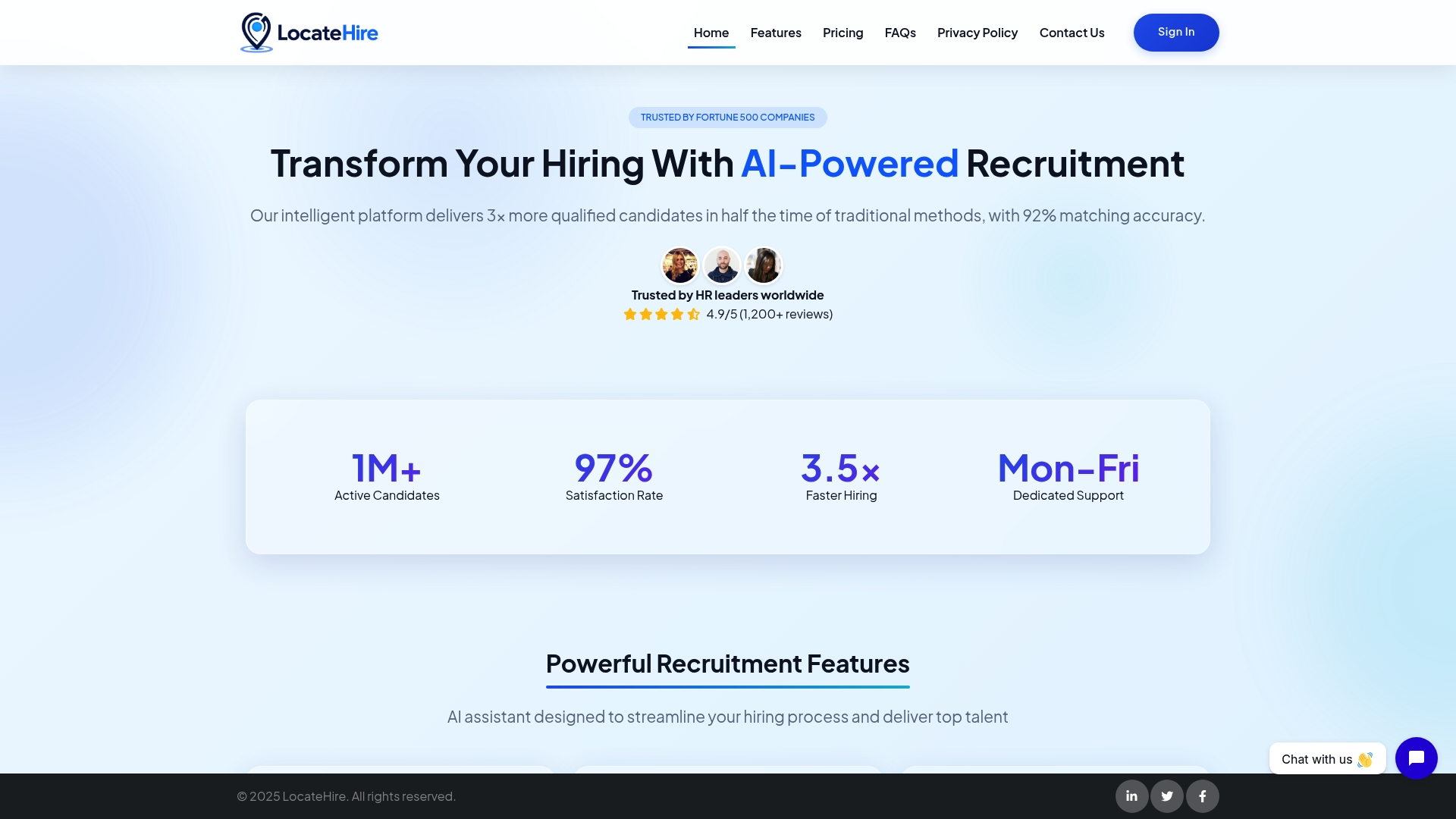
Find out how Locatehire keeps applicant tracking easy and affordable at Locatehire. Get started with a system designed to handle your hiring needs without adding extra software, so you can save time and make hiring decisions faster.
FAQ
How does Locatehire support job posting and candidate communication?
Locatehire simplifies job posting and candidate communication through a user-friendly interface. It integrates applicant messaging and scheduling tools, making it easy to manage the hiring process. You can start using these features without a commitment, which is great for small teams.
What is the difference between WaveHR and Locatehire?
WaveHR offers a clean interface with AI-driven candidate summaries that help review applicants quickly. Locatehire, on the other hand, focuses on converting Google Sheets into a lightweight ATS, making it ideal for teams already familiar with that tool. This allows for seamless integration into existing workflows without additional training.
Which platform allows for mobile access to hiring tools?
Locatehire provides mobile access, enabling users to manage job postings and candidate interviews while on the go. This feature is essential for small teams that may need to conduct interviews or review applications during travel. Expect to manage your hiring needs from anywhere with this flexibility.
Does HireTale offer features similar to Locatehire for resume parsing?
Yes, HireTale specializes in parsing resumes and provides up to 30 parses per month for free. Locatehire also features resume parsing capabilities but is designed to be used alongside Google Sheets, enhancing collaborative hiring. This makes Locatehire a good choice if you're already using Google tools.
How does Locatehire compare to The Applicant Manager in terms of applicant tracking?
The Applicant Manager focuses on dedicated handling of applicants through an online portal, ensuring transparency for candidates. Locatehire complements that with integration into Google Sheets, making it suitable for teams seeking basic ATS functionalities without the complexity of an expansive HR suite. This is beneficial for teams who want straightforward tracking.